 Request a Tutor Diventa un tutor
Calamba, Filippine
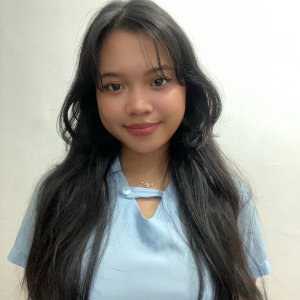
Hi, I’m Ali, an IT tutor based in Calamba.
I specialize in End-User Computing (EUC), helping students and professionals learn how to use computers, software, and everyday tech t... Per saperne di più
I focus on hands-on, practical learning. I believe the best way to learn IT and EUC is by doing, not just listening. I guide my students step-by-step, using real-life examples and ... Per saperne di più

Laguna State Polytechnic University
I believe it's important to understand both how computer systems work (theory) and how to use them in real life (practice). I start with the basics—explaining concepts in a simple, easy-to-understand way. This helps students build a strong foundation. Once the theory is clear, we apply it through hands-on activities, such as system setup, troubleshooting, or using real tools and software. I create tasks that simulate real-world scenarios so students can connect what they learn to what they’ll actually do. By combining both theory and practice, my goal is to help students not just know IT concepts, but also use them with confidence.
Technology is always changing, so I make it a priority to stay updated. I regularly read tech blogs, join online forums, and follow trusted IT news sources to keep up with new tools, updates, and trends. I also take short courses and attend webinars whenever possible to refresh my knowledge and learn new skills. Being part of tech communities helps me stay connected with other professionals and share ideas. This way, I can always give my students the most relevant and up-to-date information during our lessons.
Helping Students Who Struggle If a student is having a hard time with a topic, I take the time to slow down, break the concept into smaller parts, and explain it in a simpler way. I use real-life examples to help make things easier to understand, and I encourage them to ask questions without feeling embarrassed. I also give extra practice and one-on-one guidance to help them build confidence. Everyone learns differently, so I adjust my teaching style based on what works best for each student. My goal is to make sure they feel supported, motivated, and never left behind.
While I’m new to teaching, I have planned several hands-on activities and simple projects that help students apply what they learn. Some examples include: Basic PC Setup and Troubleshooting – Students practice assembling a computer system, identifying hardware components, and fixing common issues. Operating System Installation – A step-by-step task where students install and configure Windows or Linux in a virtual environment. File Management and Productivity Tasks – Students learn to manage files, create folders, and use tools like Microsoft Word, Excel, or Google Workspace. Simple Network Setup – An introduction to setting up a small home or office network using routers, IP addressing, and file sharing. IT Documentation Exercise – Students create user guides or basic IT reports to simulate workplace tasks. These tasks are designed to build both technical skills and confidence, using real-world tools and scenarios.
Computer systems open the door to many exciting career paths. I help students understand not just how technology works, but also where it can take them professionally. Some common career options include: IT Support Specialist – Helping users solve computer and software problems. System Administrator – Managing and maintaining computer systems and networks. Network Technician – Setting up and troubleshooting network hardware and connections. Technical Support/Helpdesk – Assisting users with technical issues over the phone or online. Cybersecurity Assistant – Monitoring systems for security risks (great for those interested in safety and protection). IT Trainer – Teaching others how to use computers and software efficiently. Freelancer/Remote IT Assistant – Offering tech support or setup services for small businesses.
I support students by creating a clear study plan based on the exam or certification they’re aiming for, such as CompTIA A+, Microsoft, or Google IT Support. I focus on both the core topics and the hands-on skills that are often tested. I use practice questions, mock exams, and review sessions to check their understanding and build their confidence. If a student struggles with a topic, we go over it again using simpler explanations and real-life examples. I also give tips on time management, test-taking strategies, and how to stay calm and focused during the exam. My goal is to help students feel prepared—not just to pass, but to truly understand what they’ve learned.
I believe that learning is easier and more meaningful when students see how it applies to everyday life. That’s why I use real-world examples in my lessons—like showing how office employees use spreadsheets, how IT support solves actual tech issues, or how networks connect devices in a small business. For example, instead of just teaching file management, I walk students through organizing files for a company project. When we discuss hardware, I relate it to setting up a real PC at home or in an office. These practical examples help students understand why they’re learning something and how they can use it in jobs, school, or even daily tasks.


 Titolo di studio
 Domande per te